
When I first heard about centralizing data from all the apps, systems, and platforms we use daily, the idea felt colossal. Like standing at the edge of a mountain, staring up, thinking, “How does anyone manage to bring all this scattered information into one place?” I didn’t have a team of developers at my disposal, and data migration sounded way outside my comfort zone. But early on, I realized nearly every growing company deals with this exact issue. Bringing data together isn’t just for tech giants. It’s for sales teams, marketers, HR pros, finance departments… pretty much anyone who uses multiple digital tools.
Oddly enough, most people still see data warehousing (yes, I’ll use this term and some variations – don’t worry, it won’t get too repetitive) as something out of reach. That belief is getting obsolete, thanks to simpler, AI-powered approaches. In my journey, Octobox stood out as a no-code, user-friendly way to make this happen. But before we get into solutions, let me walk through what a data warehouse really is, why it matters, and, crucially, why you don’t need to write a single line of code to make the magic happen.
The hardest part of centralizing data is actually getting started.
What is a data warehouse really?
Alright, let’s strip away the jargon for a moment. In my own words, a data warehouse is a central repository – kind of like a super-organized library – that collects information from all sorts of different sources. Imagine it as the quiet, calm vault where your rowdy, scattered app data finally settles down to make sense.
Typically, businesses use dozens of apps: CRMs, payment processors, marketing tools, help desks, HR software, spreadsheets, and more. Each one stores its own piece of the puzzle. But when you need the whole picture, like “What were sales last quarter for customers acquired through this marketing campaign?” that data isn’t in one place. That’s where warehousing comes in.
A data warehouse brings together data from various platforms so you can answer bigger questions and spot patterns impossible to see in isolated apps. The warehouse is structured to make querying and analysis fast, reliable, and scalable—even when you’re working with millions of records, hundreds of data points, thousands of people, or many years of history.
Let’s clarify, it’s not just a big database. Regular databases (like what a single app uses) store data for that app’s core function. Warehouses are built for analysis, reporting, and long-term trends. They’re about connecting the dots, not just storing them.
Why do organizations bother?
- Because disconnected data leads to poor decision-making.
- Reporting across different systems by hand is error-prone and exhausting.
- Regulatory compliance is easier when data is consolidated and auditable.
- You can actually trust your metrics when they’re in one place, not scattered and possibly conflicting.
I’ve seen teams scramble every quarter to prepare reports, pulling numbers from a dozen places, hoping everything lines up. A warehouse solves that at the source.
Key ingredients: The basic recipe
Most people get lost in the technical soup, so let me outline the main pieces. This will simplify everything that follows:
- Data integration: Connecting data from every app you use, whether it’s your CRM, payment tool, or a spreadsheet.
- ETL (Extract, Transform, Load): Getting the information out of each tool (extract), cleaning it up and matching it up (transform), and dropping it into the warehouse (load).
- Data modeling: Structuring the data so it’s easy for anyone to understand and use, think of it as organizing the shelves in your library so you can actually find that book you need, fast.
- Storage: Keeping everything in a secure, reliable environment.
It isn’t rocket science. But it can feel like it, at first.
Why centralize data from apps, CRMs, and payment platforms?
If you’re anything like me, you’ve probably reached for metrics that simply didn’t exist in a single place. You run a marketing campaign, sales close the deals, finance tracks the money, customer service logs complaints. Yet, the story of each customer’s journey gets lost, scattered in silos.
Let me show you what changes when you centralize:
- Unified view: See complete customer journeys, not just fragments. Marketing, sales, service, and finance data in one timeline. This isn’t just neat, it’s powerful insight that’s often out of reach for most teams.
- Automated reporting: No more endless spreadsheet exports and manual reconciliations.
- Data consistency: When all numbers come from the same source, you don’t end up with multiple versions of the truth.
- Trend spotting: Year-over-year or period comparisons become easy, because all the data is always there, updated, and aligned.
- Faster decisions: You don’t wait weeks for finance or IT to cobble together a report. Answers are instant.
- Regulatory compliance: Easier audits when everything’s documented and traceable.
I came across a fascinating example from the ERIC report on Rhode Island’s approach to central data warehousing (ERIC report on Rhode Island’s data warehouse). By bringing together school metrics, program evaluation became a proactive process, not a reaction to crisis. This is just as true for businesses: when data is at your fingertips, you spend less time searching and more acting.

The evolution: From on-premises to cloud, and why it matters
Back in the day, I worked with on-premises warehouses. I’ll admit, those were not fun times. Setups meant racks of servers humming away in basements, layers of software to install, and entire IT teams babysitting the whole thing. Scaling up meant expensive hardware. If there was a power failure, or a software glitch, the whole thing went down.
Then cloud environments changed the script. With today’s solutions, a small business or an ambitious solo entrepreneur can do what used to require six-figure IT budgets, and without even touching a server. The benefits leap off the page, but here’s what actually makes a real difference:
- Scalability: Need to store more data? Click a button. There’s no waiting for new servers to arrive or racks to be installed.
- Security: Cloud providers focus heavily on encryption, access control, and redundancy, addressing what used to be a big headache for small teams. It’s made big-company data practices much more accessible.
- Real-time access: No more nightly imports or stale reports. It’s possible to see live numbers as events happen, rather than hours later.
- Lower barriers for all: Non-technical users can set things up without developer support. I’ve seen this in action, and it genuinely levels the playing field.
- Smarter backup: Data is not just in one building. There’s automatic disaster tolerance, a once-unthinkable safety net for smaller companies.
The cloud wasn’t just about convenience; it erased barriers. With services like those Octobox offers, centralizing and making sense of data is now possible for teams with zero tech background. No IT tickets, no training manuals the size of dictionaries. You tell the system what you want, and it does the rest.

Breaking down the main building blocks: Integration, ETL, modeling, and storage
This is where I see a lot of confusion in conversations around business data. Though it sounds technical, these are actually quite logical steps. I’ll explain each the way I wish someone had done for me.
Data integration: Making connections
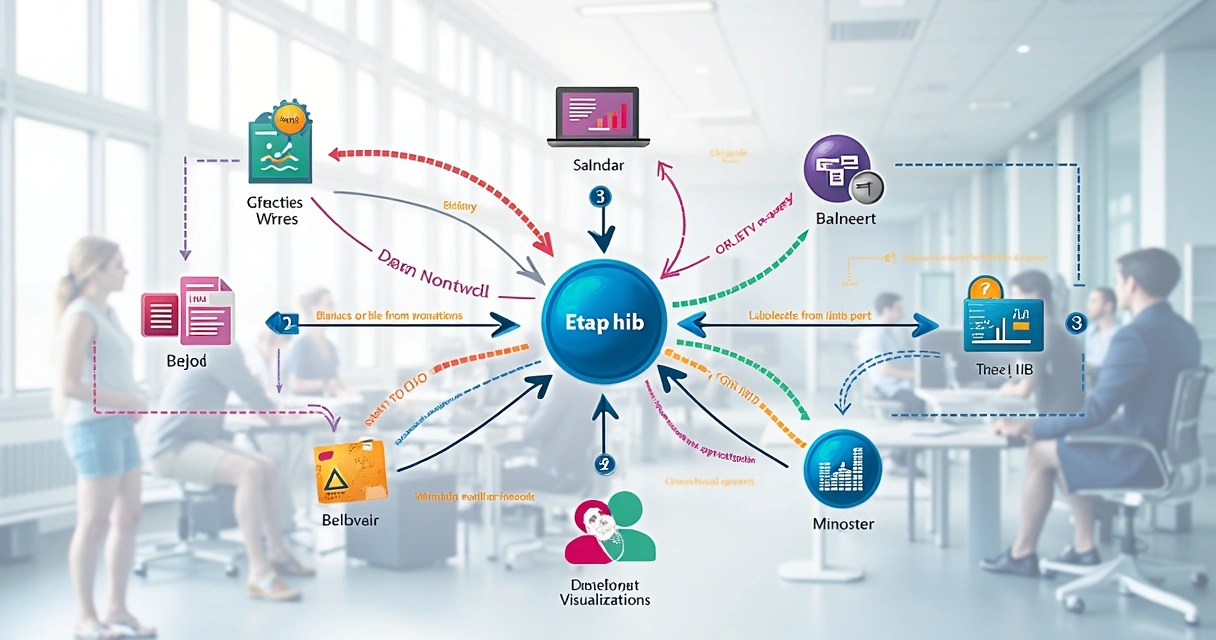
Think of this as plugging all your apps into one central hub. Your CRM, payment platform, spreadsheets, marketing tools, all feeding data into the same vault. Integration used to require scripts, APIs, and custom connectors. Today, with smarter platforms, it’s more like choosing items from a checklist. You just pick or describe your app, grant permission, and the connection works in the background. Octobox made this so clear for me: even connecting seemingly obscure tools felt like a breeze.
ETL: Extract, transform, load
I used to cringe when I heard the acronym ETL. It always sounded complicated. Here’s how I see it now:
- Extract: Pull the raw data out of the app (think: downloading your transaction records from PayPal, but automatically).
- Transform: Clean and map everything up, standardizing formats, merging duplicates, fixing typos, making sure "Product A" in one system is recognized the same way everywhere.
- Load: Move the organized data into your warehouse, where it’s now fast and accessible.
Data modeling: Building meaning on top
This is where your data really gets its power. Good modeling means the warehouse doesn’t just have piles of numbers; it has logical, easy-to-follow tables and relationships. For example, sales orders and customer records are linked, so you can see who bought what, when, and why. With tools powered by AI (like Octobox), you describe what you want, and the model builds itself, no mapping tables by hand, no technical jargon needed.
Storage: Safety and reliability
I’m picky about safety. Central storage must be secure, with backup and disaster recovery built-in by design. The cloud helps by spreading your data across multiple physical sites, with encryption protecting every record. Audits become more straightforward, access is controlled, and sharing is only as broad as you choose.

Data warehouse vs. data lake vs. data mart: What’s different?
This gets debated endlessly, so I’ll break it down with absolute simplicity. When should you use each, and what’s really best for the job?
- Data warehouse: Structured, organized, focused on business-friendly reporting and analysis. Best when you want verified, “single source of truth” data to make decisions. For example, analyzing sales per quarter by territory, or comparing customer lifetime values.
- Data lake: Stores raw, unstructured data in bulk, all formats, all messes, including pictures, documents, logs, and anything else. Great if you don’t know yet how you want to use the data, or plan to do heavy data science work on it later.
- Data mart: Small, focused segment of a warehouse, typically specialized for one department or purpose (e.g., just marketing or just finance). Easier to manage, quicker to set up, less flexible.
For business use—especially when unifying data from many apps—warehouses usually make the most sense. They’re the sweet spot: allowing controlled structure, fast answers, and just enough flexibility. Data lakes are better for deep exploration; marts are for single teams with limited scope.
The warehouse is your analysis-ready “library.” The lake is your “archive.” The mart is your “study room.”
When I’ve worked on integration, my advice is to start with a warehouse unless you know you’ll have to store tons of unstructured files or run machine learning on billions of records. For teams using Octobox, this matches up perfectly: connect your apps, let the warehouse organize, analyze anytime.
How AI and automation are changing the no-code experience
I remember, not too long ago, when building even a basic report meant learning specialized query languages or waiting for IT folks to help. The rise of automation and AI has turned this completely on its head.
With Octobox, for example, users literally write what they want in plain language: “Show me monthly sales by product, broken down by channel.” The system designs the dashboards, makes the graphs, and surfaces the numbers—no code, no formulas, no learning curve. This feels especially game-changing for non-technical people who know their questions, but not the syntax for asking them in SQL or similar languages.
- Instant graphs: Describe what you want; the dashboard appears.
- Natural language processing: Talk to your data as if explaining your needs to a person. Octobox acts as your “data interpreter.”
- Automated integration: Gone are the days of puzzling through dozens of manual app connections. “Connect” means just that: a couple clicks or a short sentence, not digging into complicated settings.
- Adaptive modeling: If your data structure changes, smart tools update your views automatically. I love this flexibility; it’s something traditional systems rarely offer unless you pay a premium in consulting fees or technical debt.
Here’s an example that sticks with me. I once watched a sales manager, no technical background, build a report combining call logs, CRM deals, and billing data in under 10 minutes. She literally described the info she needed; the AI did the rest, even generating a graph. The new tools remove not only time barriers but the intimidation factor, letting creativity and curiosity drive results.

Practical benefits for companies (even small ones)
Every business leader I’ve spoken with starts out believing data warehousing is only for big enterprises. That’s not true anymore, and here’s why.
- Simplified operations: All data is findable in one place, reducing back-and-forth between teams and eliminating the “wait, where did I save the latest report?” problem.
- Unified decision-making: When teams reference the same consistent data, meetings are less about debating numbers and more about strategy. Disputes over “whose spreadsheet is right” become a thing of the past.
- Compliance gains: Audits (whether financial or privacy-related) become much easier. Logs, records, and access controls are all centralized and traceable.
- Reduced costs: Manual labor drops significantly. No more double input, redundant tasks, or hiring extra support just for data wrangling.
For me, one of the more shocking stats comes from the Data.gov metrics dashboard. In October 2025, their centralized government data platform had over 1.9 million pageviews—94.17% of it on desktop. That’s real proof that when information is centralized, its accessibility and usefulness skyrocket. And if governments can do it (often famous for complexity), there’s no reason a business can’t.
The Post-Secondary Central Data Warehouse Standard Reports also show how tracking student enrollment statistics and trends is straightforward once records sit in a central repository. For companies, the payoff is similar: instead of grappling with the unknowns, teams can focus on actual data-driven strategies.
What about smaller businesses?
I get asked this a lot. Won’t this be a waste for a team of five? In my experience, even microbusinesses need to bring together financial, sales, and customer info if they want to grow or operate with any level of certainty. The new generation of AI-powered solutions—like Octobox—makes this possible without added headcount or nights spent reading technical docs.

Data privacy, security, and user permissions
I can’t talk about data consolidation without mentioning security. Whenever I work with client data, this keeps me up at night. Warehouses have to protect information at all times: while it’s traveling, when it’s at rest, and even when viewed on a colleague’s laptop.
With cloud tools, here are the basics I always look for (and expect):
- Encryption: Data is jumbled both when stored and in transit, useless to hackers even if intercepted.
- Granular permissions: Only the right people see the right things. A sales rep shouldn’t see payroll data, and marketing shouldn’t access legal documents.
- Audit trails: Every action is logged, from access to data editing, providing traceable records for compliance.
- Data residency: Some companies require records stay within specific legal boundaries. Good cloud solutions respect these rules by design.
Octobox puts privacy and confidentiality at its core, ensuring connected data is only accessible to you and your team—which, for me, is non-negotiable. I often remind clients that a warehouse without tight controls is just a liability in a nicer outfit.
Relevant regulatory frameworks
Depending on your region or industry, you might have to comply with standards like GDPR, HIPAA, or SOC2. Consolidating data in a controlled warehouse helps you prove compliance more quickly and respond to audits painlessly. Manual tracking is usually a nightmare by comparison.
The real-life workflow: From scattered info to full dashboard
Maybe this sounds too straightforward, so let me sketch out the reality as I’ve seen it, step by step—no coding, no jargon, just a plain process anyone can follow (especially on Octobox, in my experience).
- List out every app, platform, or tool you use to store business data—spreadsheets, CRMs, payment apps, support systems—everything.
- Choose a no-code warehousing platform that fits your privacy and integration needs. (I can personally vouch for Octobox’s simplicity here.)
- Connect each source. Usually, this involves granting permission or handing over a link/API key. AI assistants guide the process with clear instructions.
- Let the system perform ETL behind the scenes. You’ll see your data organized, cleaned, and matched up automatically.
- Describe the dashboard or report you want—in your own words. For instance, “Show pipeline revenue by lead source for Q1, and alert me to any 10% variance from last quarter.”
- The AI builds your visualizations, tables, or exports, ready for immediate use or sharing.
The fastest business wins aren’t from bigger budgets, but from faster answers.
I encourage anyone new to this to read more in the integration section of the Octobox blog, as it addresses most of the initial worries people bring up.
Real-world examples and outcomes
There’s something reassuring about seeing others solve similar problems. For instance, the NCES prototype data warehouse using a star-schema made it possible for educators to run cross-dataset analyses for research. Suddenly, what had been an impossible tangle of surveys became a clear, actionable set of reports. You can find another illustrative use of data warehouses improving demographic analysis in this analysis of age distribution among post-secondary students, which led to more personalized services. Both cases highlight this truth: the power of a unified repository is not in the raw data, but in the new questions it unlocks and answers.
In my consulting days, I witnessed a retail company that slashed the time to produce month-end financials by 70%—simply by integrating three sources into a no-code warehouse. Another small marketing firm, using Octobox, was able to sync billing, campaign, and CRM info daily and improve campaign ROI tracking overnight.
If you’re intrigued by practical, step-wise transformations, take a look at this post about consolidating multiple SaaS sources into a report without writing code, or see the tangible impact of data centralization on operations in the productivity category of the blog.

Final thoughts: The future is no-code, company-wide, and now
From everything I’ve seen, the distance between “I wish I could get all my data in one place” and “Here’s my new dashboard” keeps getting shorter. The old days of needing technical teams or learning code are ending quickly. With tools like Octobox, any determined professional can describe what they want, connect their sources, and unlock insight that used to be restricted to IT or analytics departments.
And it isn’t just tech for tech’s sake—it’s real business improvement: faster reporting, more trustworthy numbers, easier compliance, and a culture that acts on facts. Modern data warehousing, especially with AI and automation, is really about democratizing insight and enabling everyone, not just a few specialists, to see the full picture.
So, if you’re still working with scattered spreadsheets, manual monthly reports, and gaps between your sales, finance, and marketing teams, now might be the moment to change that. Try a no-code approach. See what it feels like to have every answer at your fingertips, whenever you want it. And if you want clear, practical guidance or to see what Octobox can do for you, the data visualization section of our blog is a great place to jump in. I’d love to see how your data, unified and easy to access, changes the way you run your business. Give it a shot—and let’s make sense of all that information together.
Frequently asked questions
What is a data warehouse used for?
A data warehouse is used to bring together data from multiple sources (such as apps, CRMs, and payment tools) into one centralized location for analysis, reporting, and informed decision-making. It’s perfect for tracking metrics, finding trends, and generating reports that require input from more than one system. With a warehouse, you can compare information across time, discover new business opportunities, and ensure teams all reference the same unified facts.
How do I centralize app data easily?
To centralize app data without coding, you need a no-code warehousing platform that offers pre-built connectors or AI-driven integration, like Octobox. You simply connect your apps (by logging in or granting access), describe the data you want to work with, and let the system handle merging, cleaning, and updating it automatically. This approach doesn’t require technical knowledge, and the visual dashboards or reports are ready for use right away.
Is coding needed to set up a data warehouse?
No, coding is not needed to set up a modern data warehouse, especially if you choose a no-code or low-code solution designed for business users. Platforms like Octobox allow anyone to centralize, model, and visualize their information without touching a line of code. This has opened up serious data advantages to companies and teams who may not have technical support on hand.
What are the benefits of no-code data integration?
No-code data integration lets users connect systems, automate reporting, and consolidate multiple information sources with a few clicks instead of days (or weeks) of development. The main benefits are faster setup, fewer errors, lower costs, and broader access for every team member. Anyone can create dashboards, analyze trends, or generate reports without IT support, which makes business data available to more people and accelerates decision-making.
How much does a data warehouse cost?
The cost of a data warehouse depends on several factors: the amount of information you need to store, the number of integrations, and the features you use (like automation, compliance tools, or AI assistance). Modern no-code options (like Octobox) usually have transparent pricing based on your usage and needs. Compared to old on-premises solutions, today’s cloud-based data warehouses are much more affordable, with pricing that fits most companies—from solo entrepreneurs to large organizations.